Startpage ads - Prenly
What is it?
Home page ads allow you to display ads directly in your home page layout. These ads can be placed between your existing components as a natural part of the page. The content of the ad is defined via a script that controls what is shown to the user.
How is it implemented?
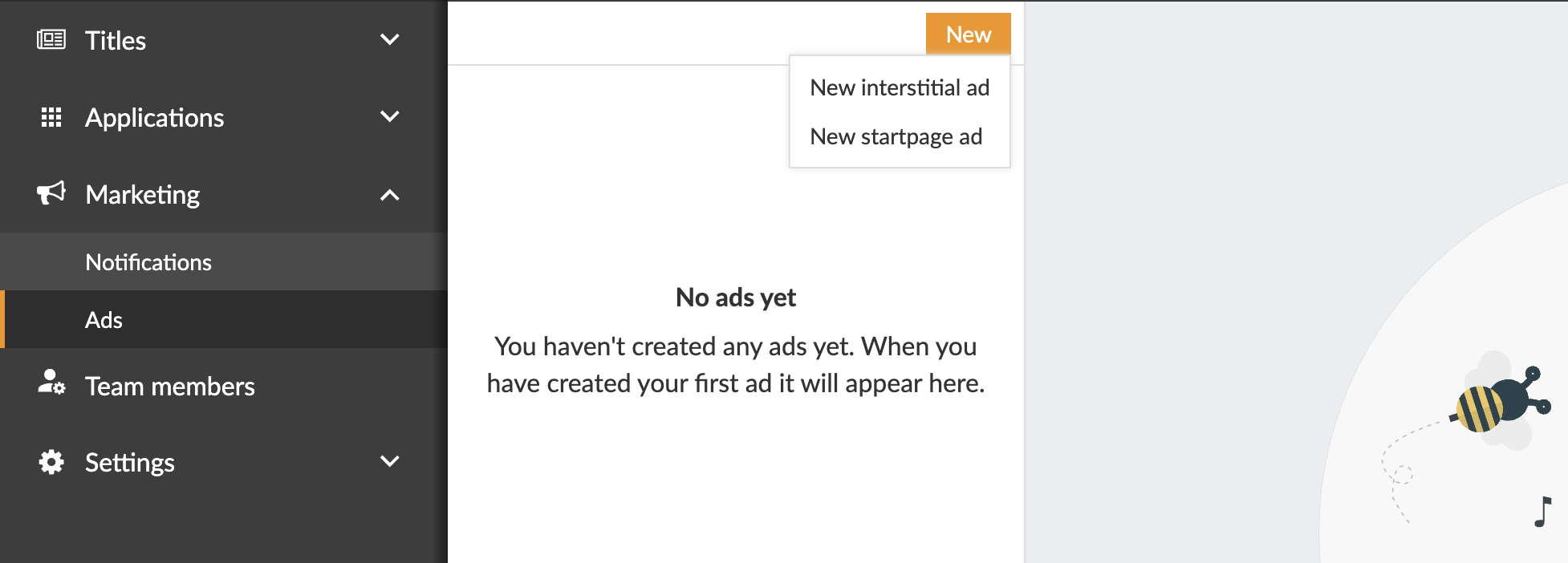
To create a homepage ad, go to Marketing in the left menu of Prenly Workspace and select Ads. Click on New and select New landing page ad.
Name your ad
Start by giving the ad a name. This is an internal name used only to help you identify and manage your ads.
Where on the home page should the ad appear?
Next, choose where to place the ad on the homepage. You can place it at the top, at the bottom or between existing components. If several ads are assigned to the same position, you can control their order by setting a priority.
When should the ad be active?
Specify when the ad should be displayed by selecting a start date and, if necessary, an end date. The ad will be automatically activated and deactivated based on this time range. Make sure to select the correct time zone.
Ad content
Next, specify how the ad will be displayed by pasting a script. This script determines the content of the ad. You can find a sample script at the bottom of the page.
What are the sizes of your ad?
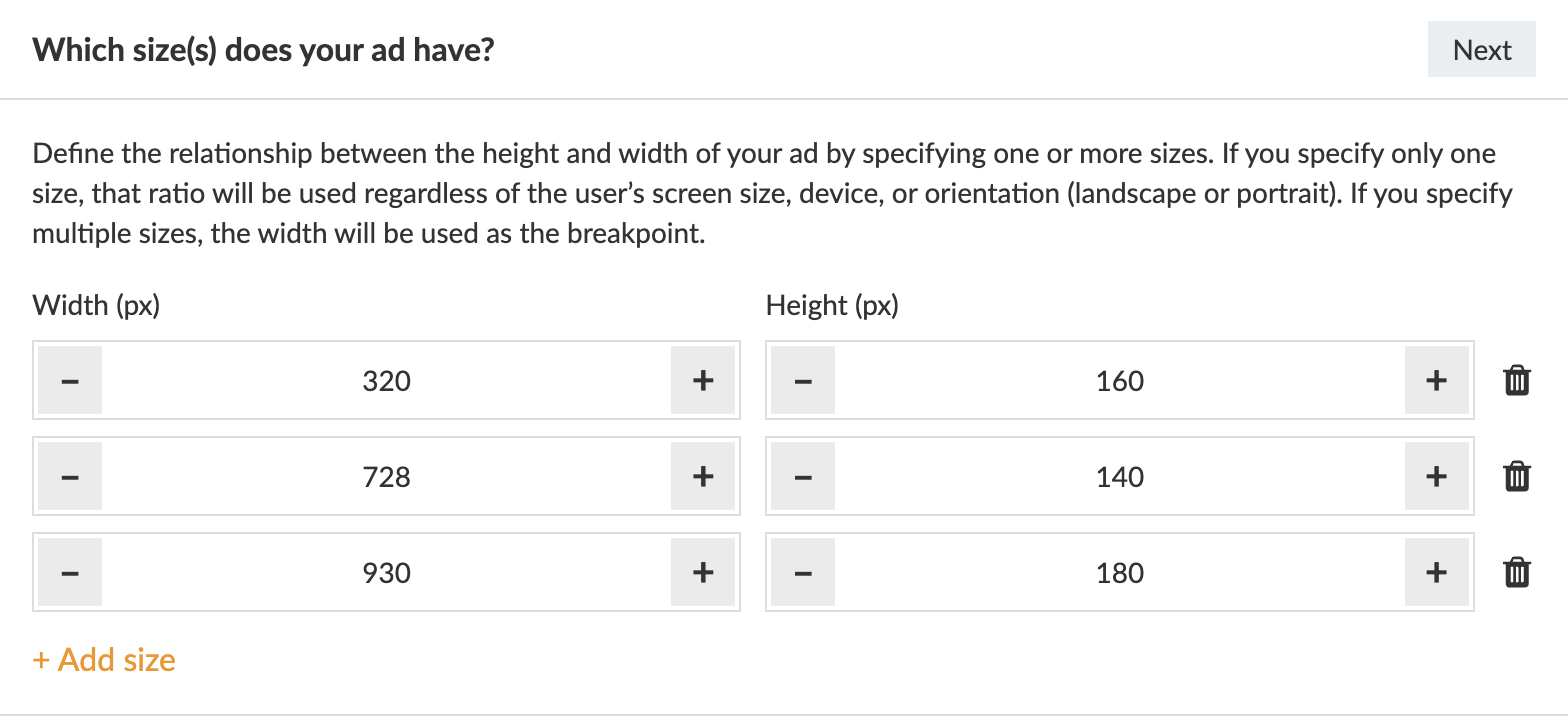
You also need to specify the ratio between the height and width of the ad by entering one or more sizes. If only one size is specified, that ratio will be used on all devices and in all orientations. If multiple sizes are specified, the width will act as a breakpoint to customize the layout accordingly. (Recommended sizes are listed below.)
In which applications should the ad be displayed?
Finally, select the application where the ad will be displayed.
When everything is ready, don't forget to switch the ad from inactive to active to make it visible.
Example:
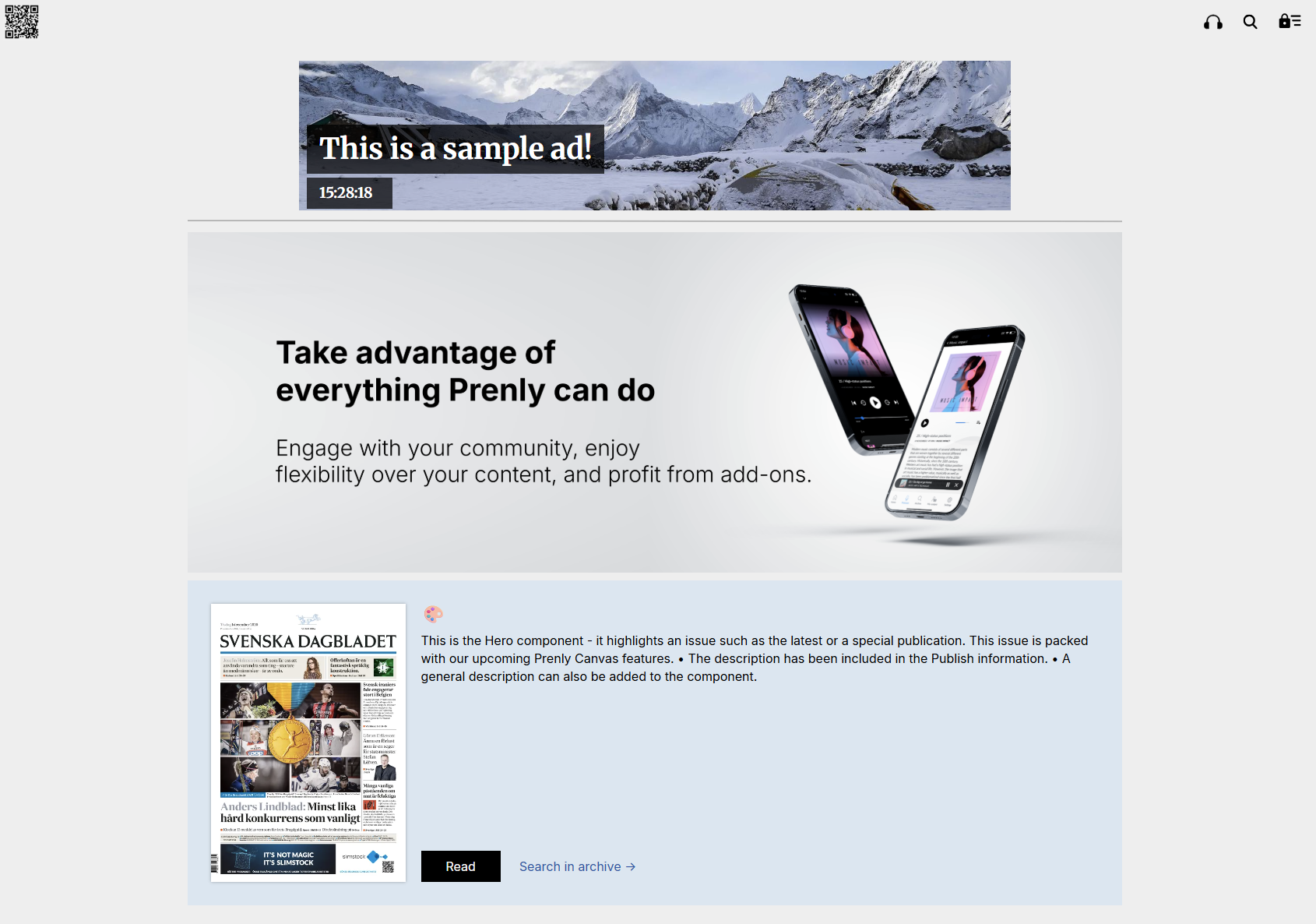
Example script
< script>
(function () {
var TAG = '[ta-ad]';
console.log(TAG, 'script running');
// Capture insertion anchor immediately - document.currentScript is the
// reliable way to find "where this script tag lives" in most ad contexts.
var anchor = document.currentScript;
if (!anchor) {
var all = document.getElementsByTagName('script');
anchor = all[all.length - 1];
}
console.log(TAG, 'anchor:', anchor, 'parent:', anchor && anchor.parentNode);
// Fonts
var preconnect1 = document.createElement('link');
preconnect1.rel = 'preconnect';
preconnect1.href = 'https://fonts.googleapis.com';
document.head.appendChild(preconnect1);
var preconnect2 = document.createElement('link');
preconnect2.rel = 'preconnect';
preconnect2.href = 'https://fonts.gstatic.com';
preconnect2.crossOrigin = '';
document.head.appendChild(preconnect2);
var fontLink = document.createElement('link');
fontLink.rel = 'stylesheet';
fontLink.href = 'https://fonts.googleapis.com/css2?family=Merriweather:ital,opsz,wght@0,18..144,300..900;1,18..144,300..900&family=Playfair+Display:ital,wght@0,400..900;1,400..900&display=swap';
document.head.appendChild(fontLink);
// Styles (scoped under .ta-ad to avoid clobbering the host page)
var style = document.createElement('style');
style.textContent = [
'.ta-ad{position:relative;width:100%;height:100%;min-height:200px;overflow:hidden;cursor:pointer;background:#333;}',
'.ta-ad .ta-ad-bg{position:absolute;inset:0;width:100%;height:100%;object-fit:cover;opacity:0;transition:opacity 1.5s ease-in-out;z-index:1;}',
'.ta-ad .ta-ad-bg.active{opacity:1;}',
'.ta-ad .ta-ad-text{position:absolute;left:10px;bottom:10px;right:auto;top:auto;z-index:2;display:flex;flex-direction:column;align-items:flex-start;gap:5px;margin:0;padding:0;font-family:"Merriweather",serif;font-optical-sizing:auto;font-style:normal;font-variation-settings:"wdth" 100;color:#fff;}',
'.ta-ad .ta-ad-text h1,.ta-ad .ta-ad-text h2{background:#000000b8;padding:9px 16px;display:inline-flex;margin:0;line-height:1.2;}',
'.ta-ad .ta-ad-text h1{font-size:4vw;}',
'.ta-ad .ta-ad-text h2{font-size:2vw;min-width:8.4vw;}'
].join('');
document.head.appendChild(style);
// Markup
var container = document.createElement('div');
container.className = 'ta-ad';
container.addEventListener('click', function () {
window.open('https://www.textalk.se', '_blank');
});
var img1 = document.createElement('img');
img1.className = 'ta-ad-bg active';
var img2 = document.createElement('img');
img2.className = 'ta-ad-bg';
var textWrap = document.createElement('div');
textWrap.className = 'ta-ad-text';
var h1 = document.createElement('h1');
h1.textContent = 'This is a sample ad!
var h2 = document.createElement('h2');
textWrap.appendChild(h1);
textWrap.appendChild(h2);
container.appendChild(img1);
container.appendChild(img2);
container.appendChild(textWrap);
// Insert where the script tag lives - unless the script is in // (some ad platforms inject creatives into, where nothing renders). // In that case, or if the anchor is missing, fall back to.
function mount() {
var parent = anchor && anchor.parentNode;
var inHead = parent && parent.nodeName === 'HEAD';
if (parent && !inHead) {
parent.insertBefore(container, anchor);
} else if (document.body) {
document.body.appendChild(container);
} else {
//doesn't exist yet - wait for it.
document.addEventListener('DOMContentLoaded', mount);
return;
}
console.log(TAG, 'container inserted into', container.parentNode && container.parentNode.nodeName, 'size:', container.offsetWidth, 'x', container.offsetHeight);
}
mount();
// rotation
var images = [img1, img2];
var current = 0;
function loadInto(idx) {
var url = 'https://picsum.photos/1400/400?random=' + Date.now();
console.log(TAG, 'loading image', idx, url);
images[idx].onerror = function (e) {
console.warn(TAG, 'image failed to load', idx, url, e);
};
images[idx].src = url;
}
function nextImage() {
var next = (current + 1) % images.length;
images[next].onload = function () {
console.log(TAG, 'image loaded', next);
images[next].classList.add('active');
images[current].classList.remove('active');
current = next;
};
loadInto(next);
}
images[0].onload = function () { console.log(TAG, 'image loaded 0'); };
loadInto(0);
setInterval(nextImage, 5000);
// Clock
setInterval(function () {
h2.textContent = new Date().toLocaleTimeString();
}, 500);
})();
< /script>