Social sharing - Prenly
Under "application settings" you can enable "social sharing" and decide whether readers should be able to share unhindered or restricted. See the guide for how to set it up here.
In this guide, we will show how your readers share articles or article spreads in the e-magazine.
First, log in to the e-magazine either via the web or via the app. Then choose which edition you want to share the article/spread from.
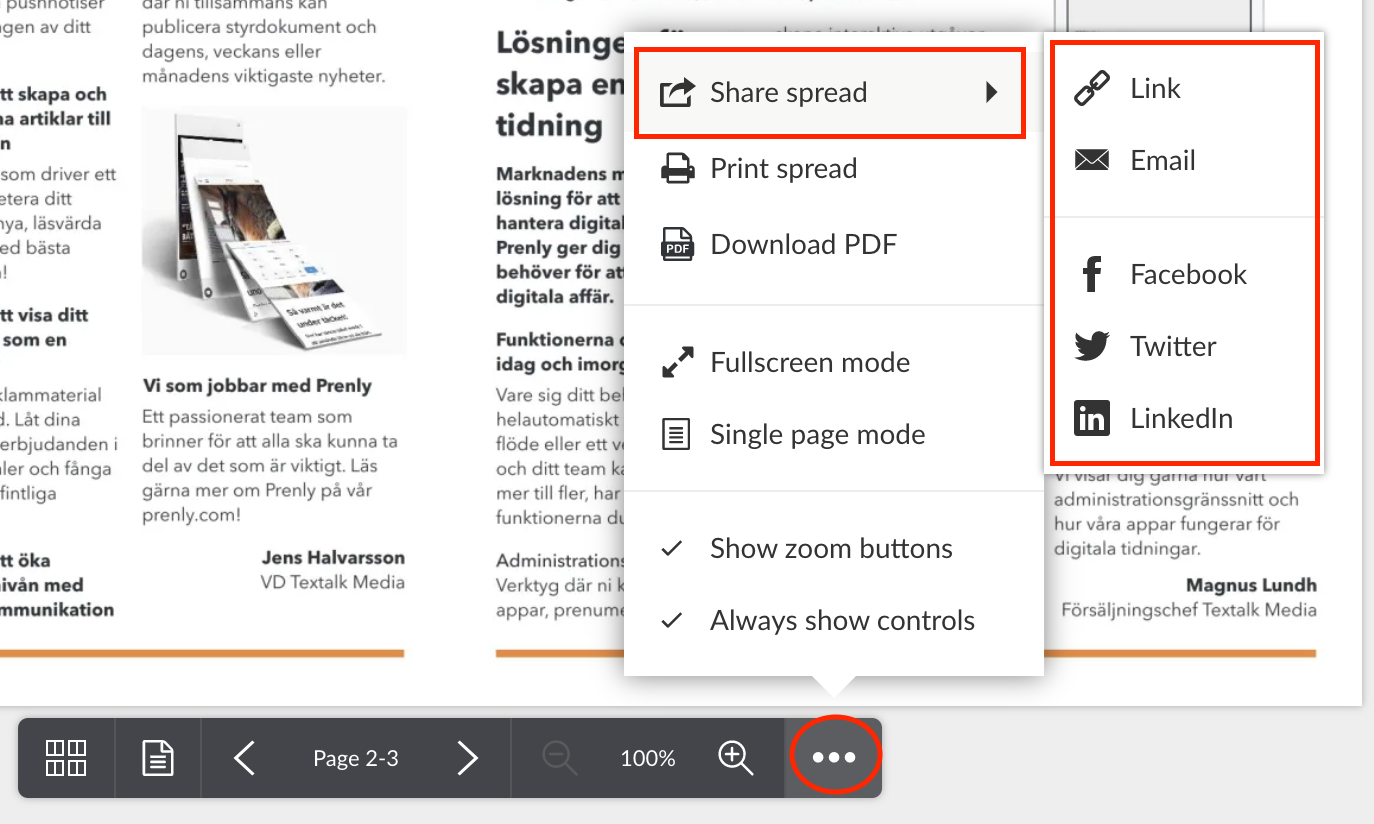
Once inside the edition, there is a menu in the middle -> click on the "three-dot menu" -> and then select "share spread" from the PDF mode. Here you get all the different ways and platforms you can share spreads or articles too.
To share a specific article, click on the article you want to share so that you end up in "article reading mode". Then click on the "three-dot menu" again --> and then select "share article".
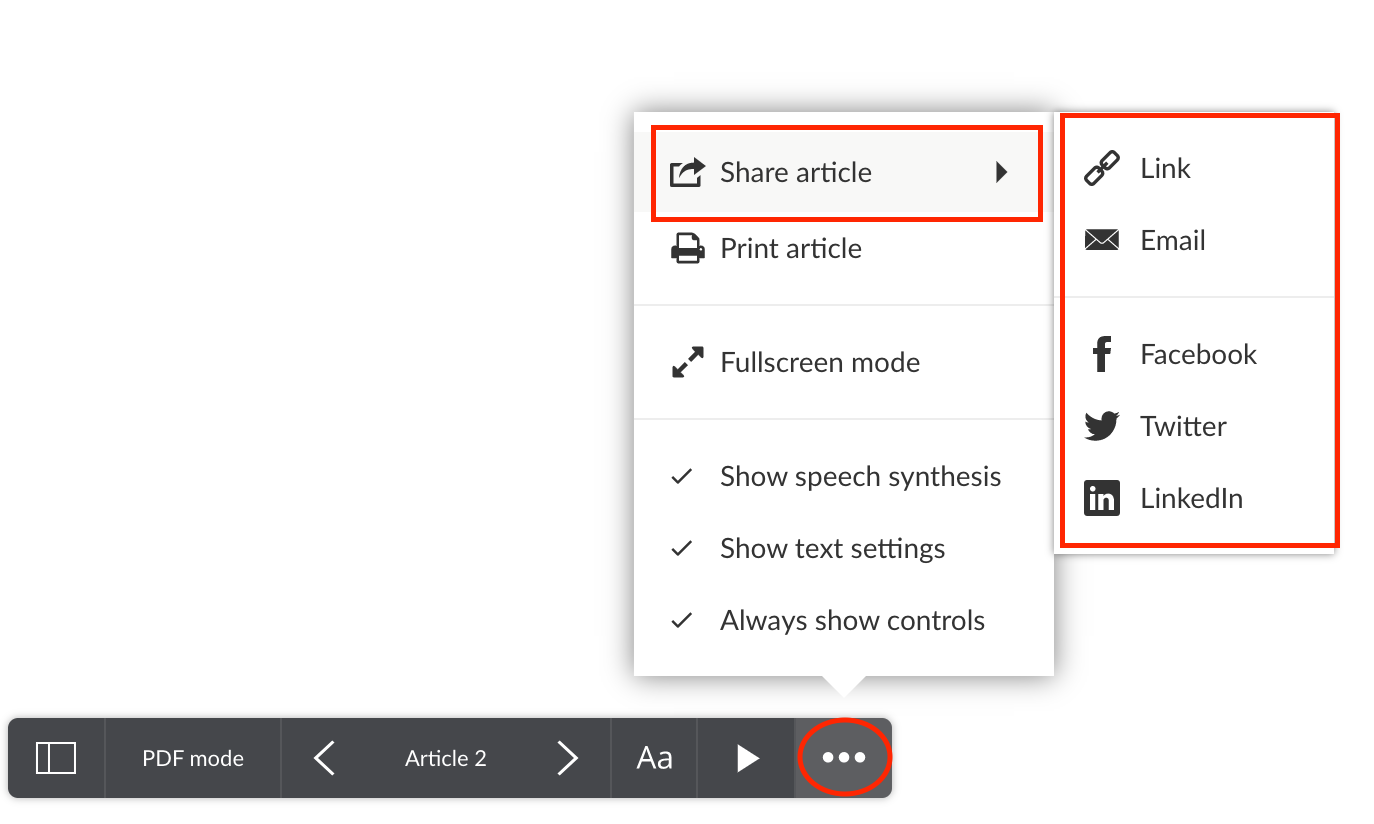
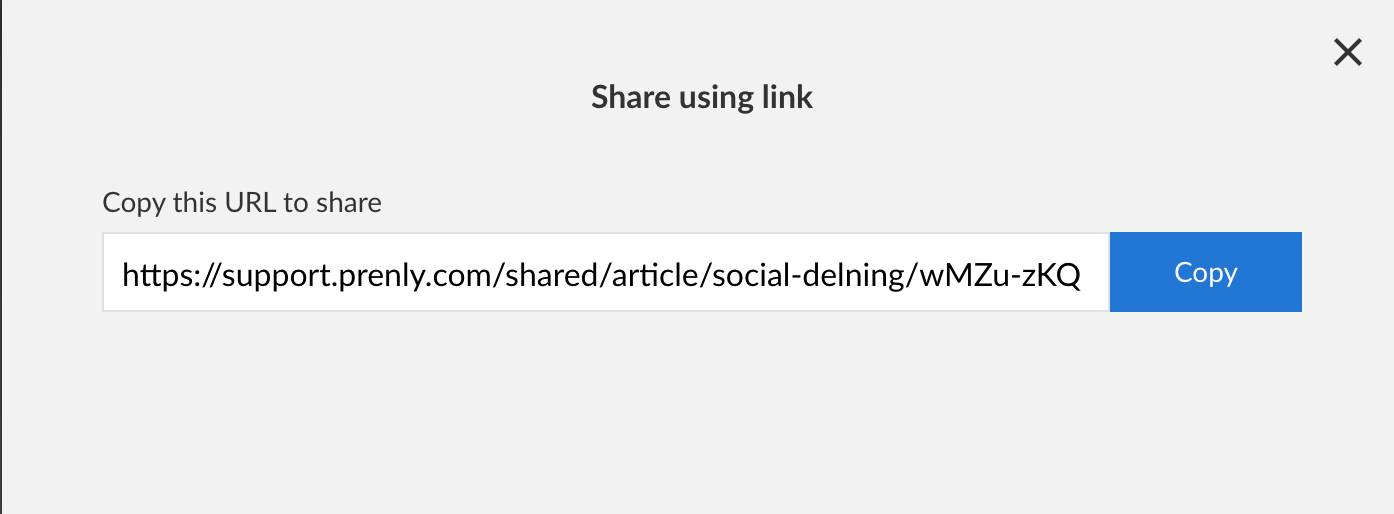
Here are two examples of what it might look like. Select "share link" creates a URL that you can easily copy and send.
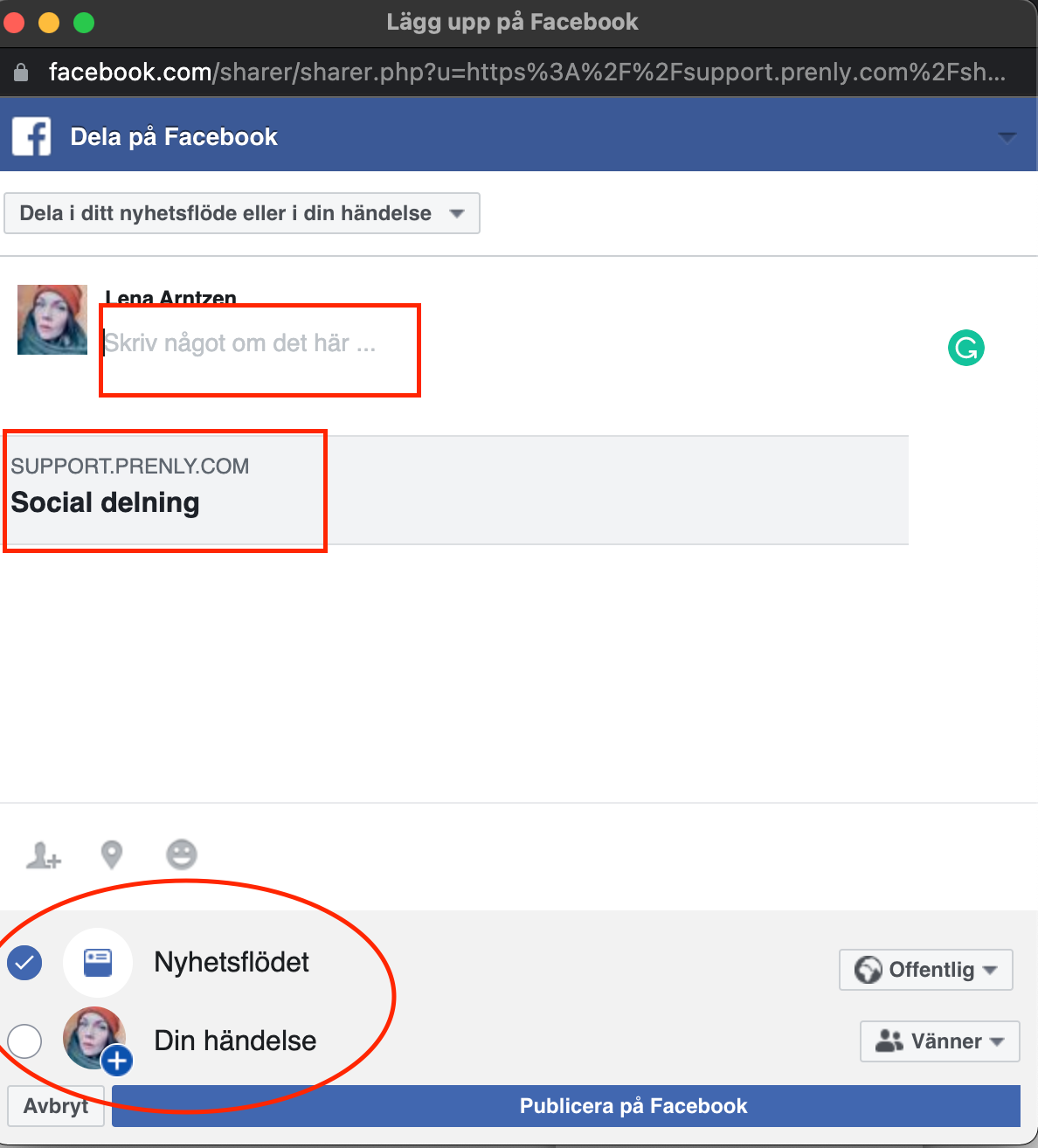
Or, choose to share to "Facebook", and a pop-up box will appear where you can adjust the sharing text and to whom you want to share the article spread/article too.
And that's how easy it is to share articles or spreadsheets ?