Free days access - Prenly
What is it?
The Free Days access allows you to give interested readers free access to the content of your app for a limited number of days.
This is ideal for potential subscribers who want to try your app before subscribing. You decide how many days the free trial period will last.
When a user opens the app, their device is automatically registered. The registration starts the timer for the free trial. The user will then have access to the selected content for the number of days you have set.
How to set it up?
To enable free trial days authorization, please contact us, so we can activate the function for you. Please include the following:
1. number of free trial days: specify the number of days the free trial will be valid.
2. Package slug: If you create the package yourself in PWS, do it as described below and enter the slug of the package to be accessed.
How to set up a package in PWS?
This step can be skipped if the package and service are already set up.
You need to create a service and a package to support the publishing tags.
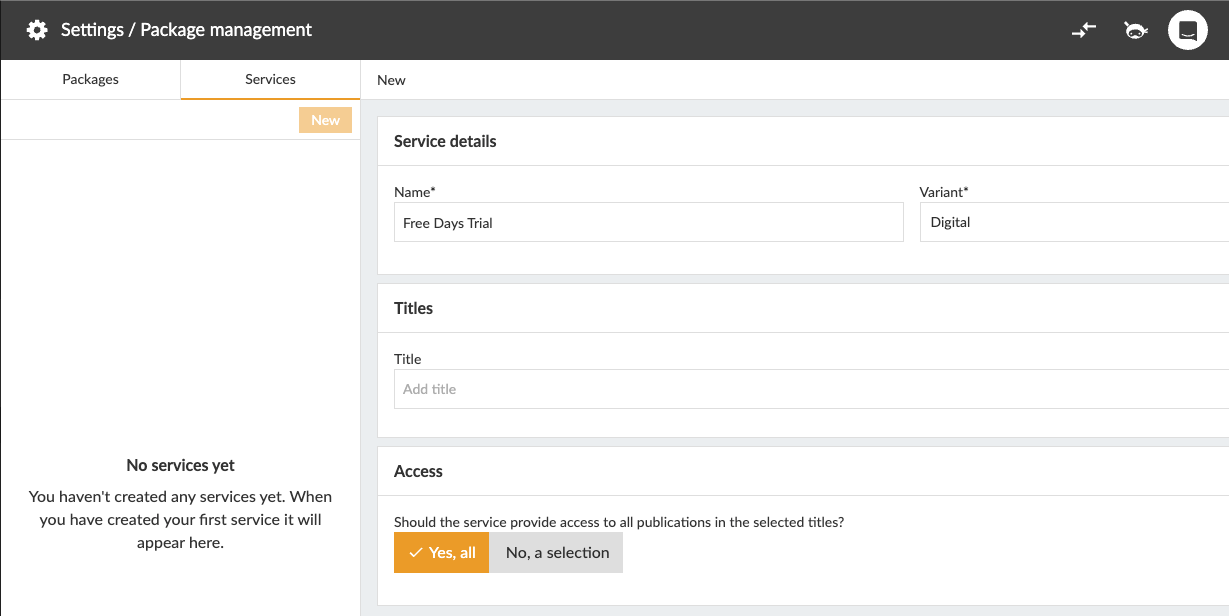
- In Workspace, go to Settings -> Package Management.
- Click on "Services" -> "New".
- Add a name for the service and select the title(s) you want to give access to.
Then create a new package and link it to the service you just created.
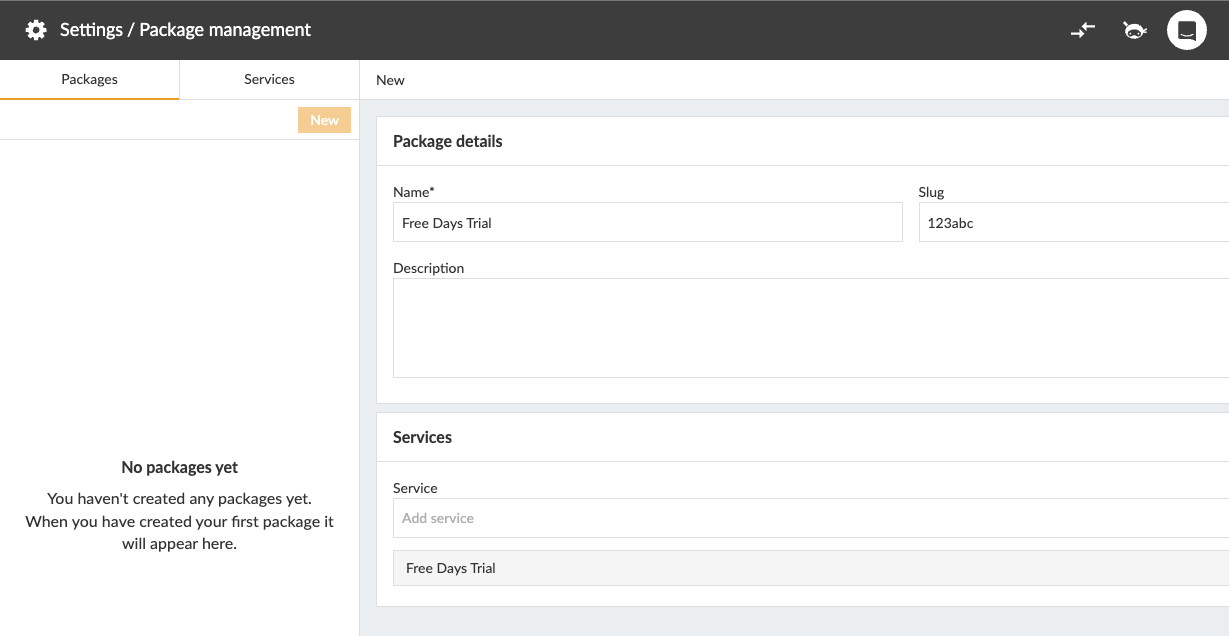
- Click on "Services" -> "New"
- Add a name to the service, give it a slug and select the service you just created.
Send us the selected slug by email.
If you need help configuring this, we will be happy to help you.
Good to know
- Currently, only one package can be connected to the authorizer.
- The free days authorizer only works in the native apps (iOS and Android).
- The free trial period starts when the app is opened and the device is registered.