Marketing link - Prenly
Create a sharing link for a specific publication. This is perfect for newsletters, social media campaigns, or “try it out” promotions.
Please note that the marketing links can only be openend in the web app.
How to do it:
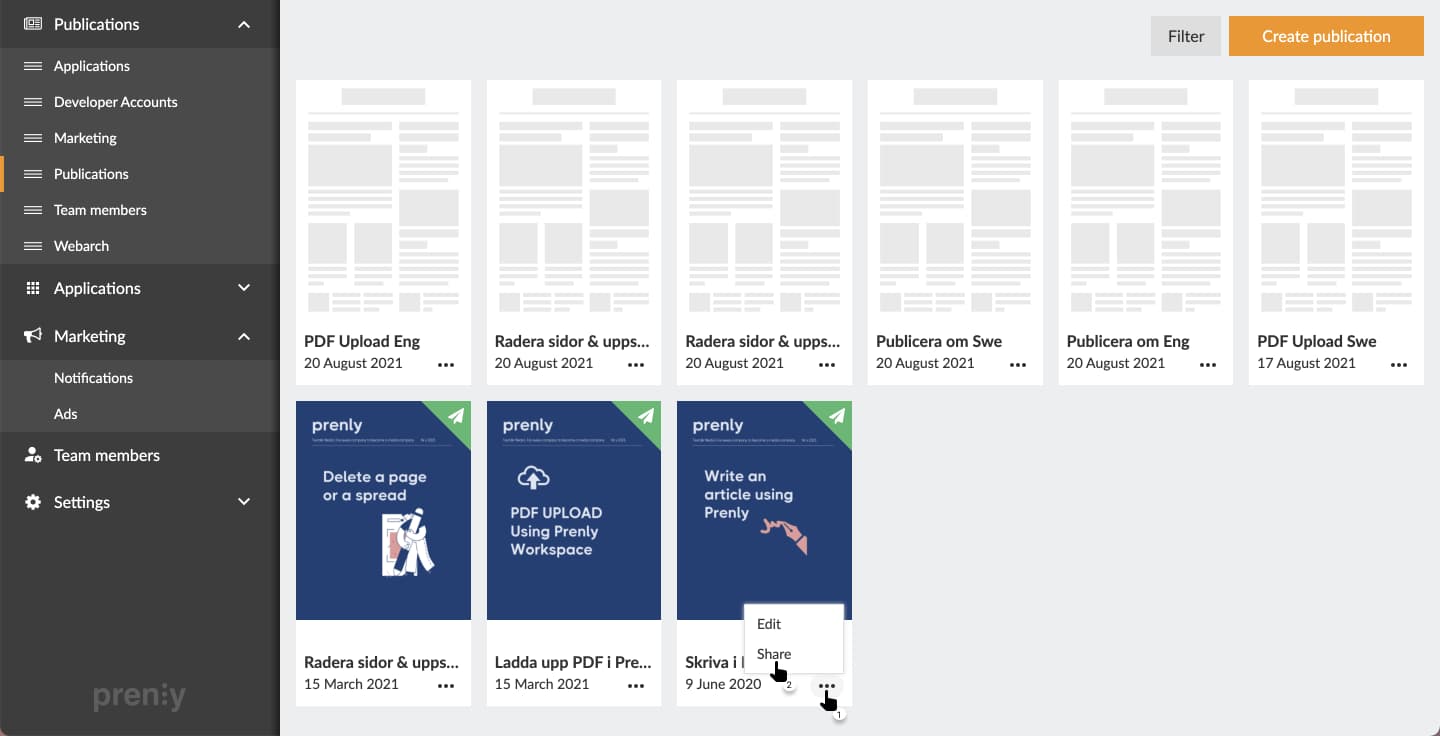
Go to Titles and find the publication you want to share. Click the three dots next to it and select Share.
You’ll see two options: The first option Market publication can be used to copy the web address (URL) to the publication, even if it has not yet been published. This option can be for instance used to prepare a newsletter, or create a QR code for an upcoming event.
Note: This link does not give free access to users without a subscription.
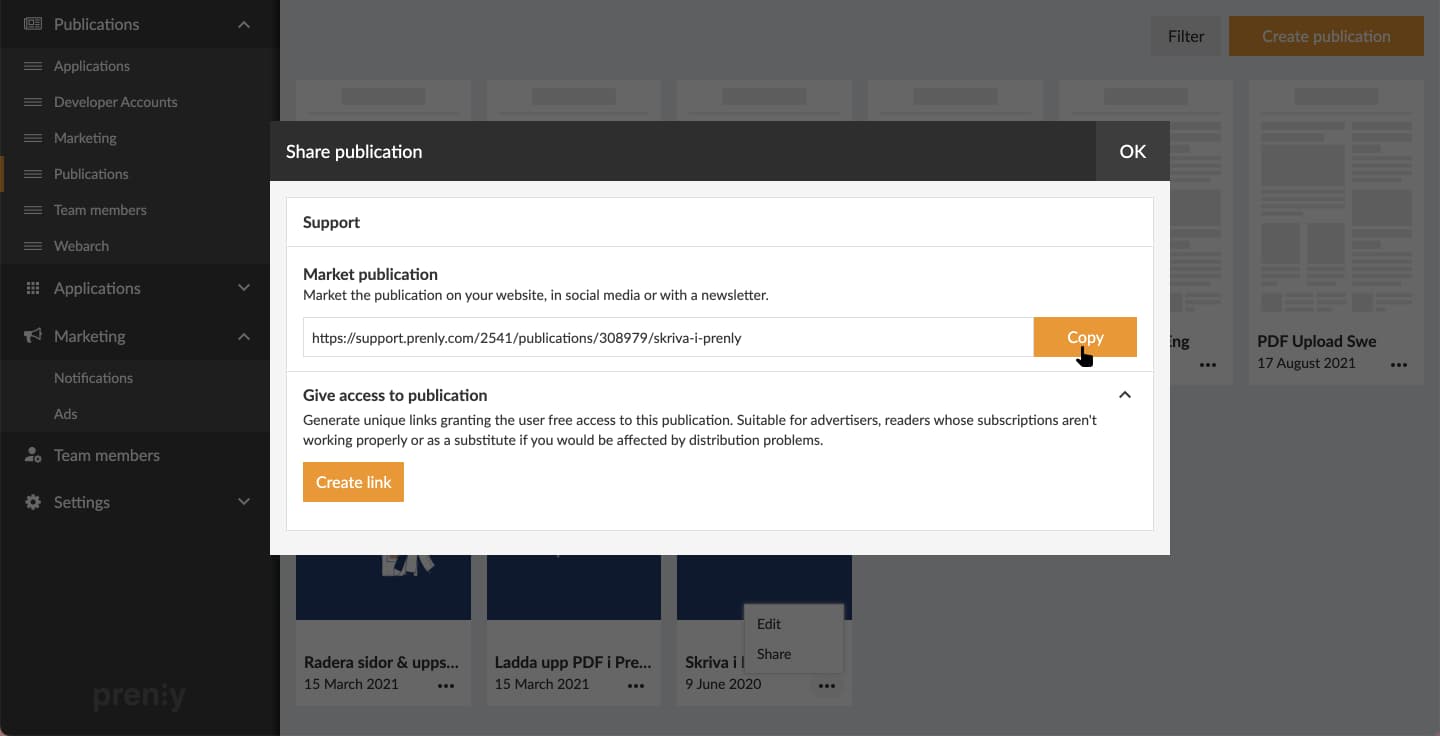
To give free access, use the second option Give access to publication and click Create link.
It is possible to rename links so they are easy to distinguish —e.g. Christmas gift campaign 2025.
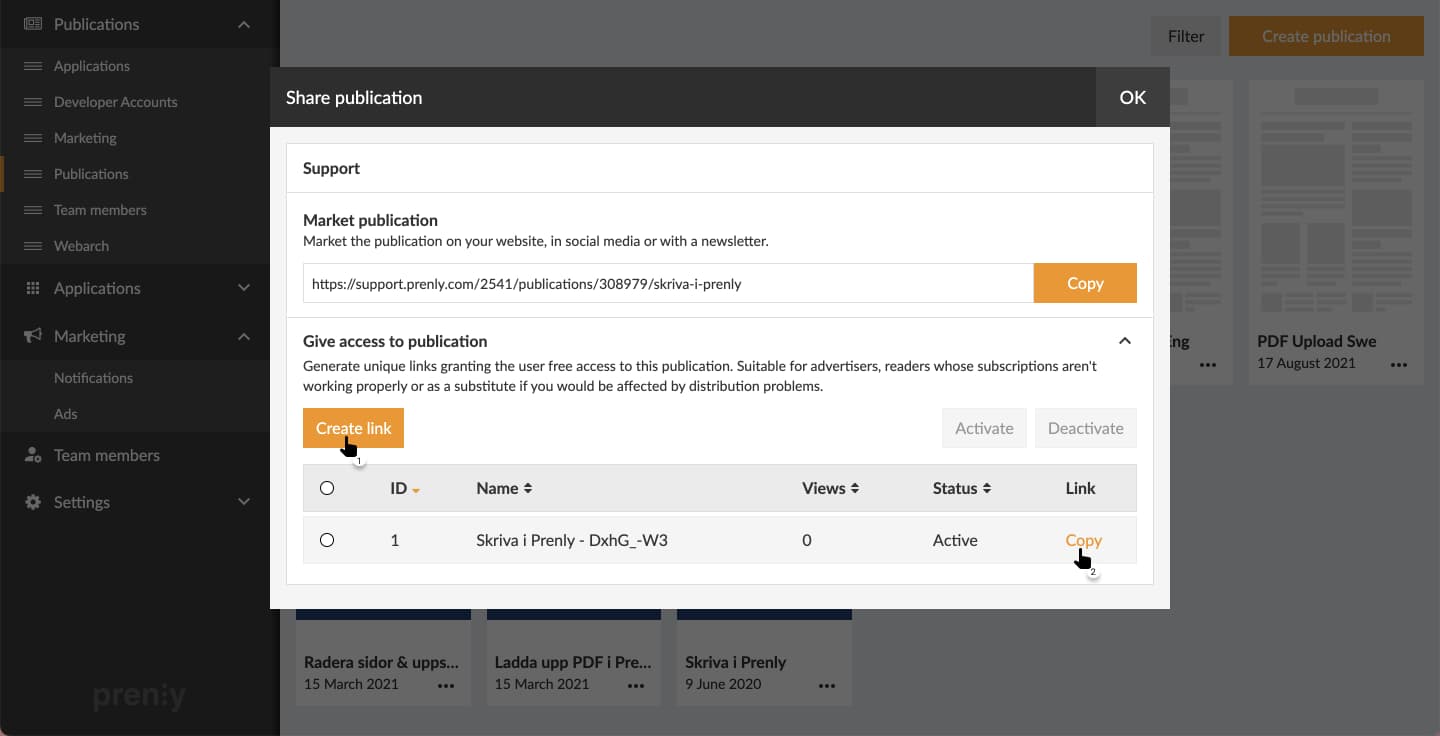
Simply select copy and share the link with your readers (newsletter, social media, direct messages, etc.).
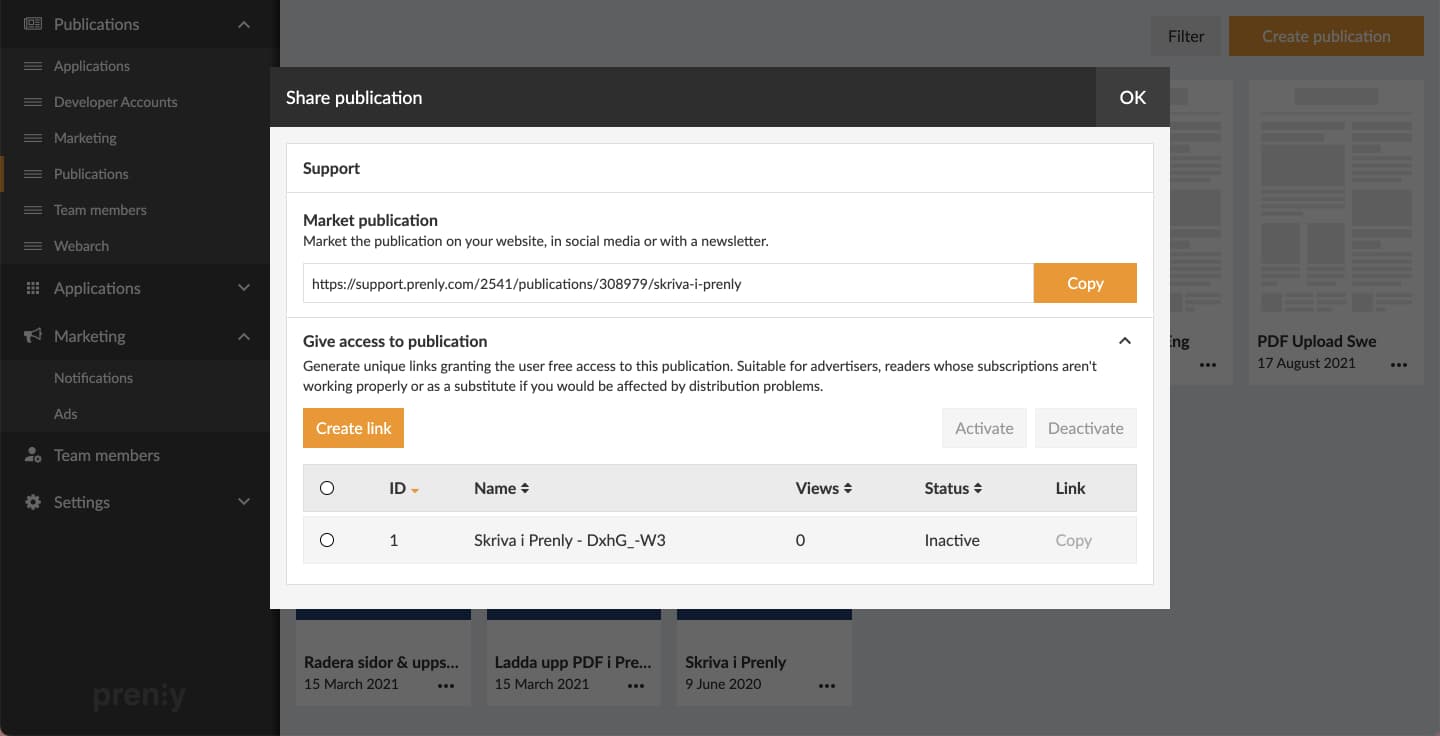
You can deactivate the link anytime, for example when the campaign ends. See what status the link is in (be it active or inactive) in the column "Status" in the tabular view.
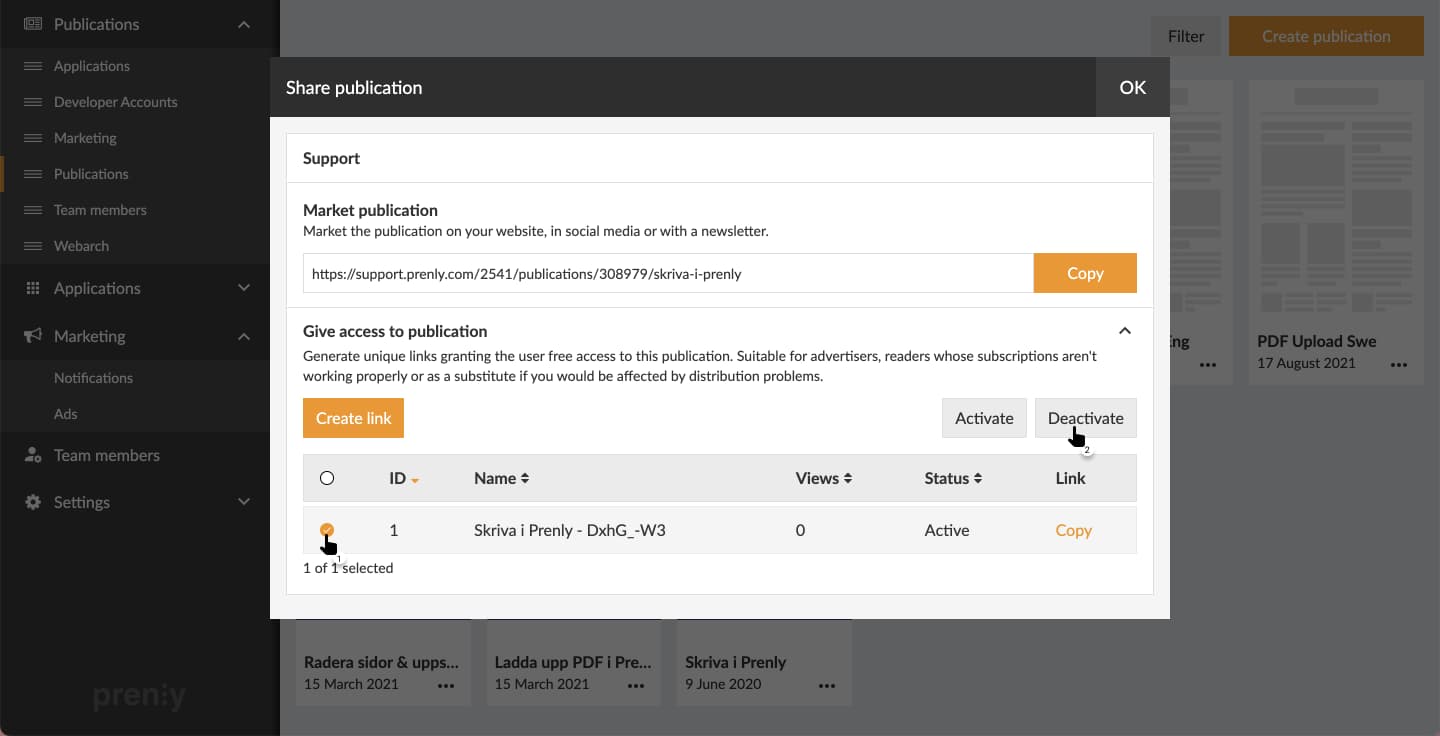
Below you can see a deactivated link. Readers who used to be able to access the publication without subscription via the link will now require a subscription to read the publication again.