Display articles on front page - Prenly
The article component allows you to show the visitor more content from the newspaper, giving your visitors the opportunity to discover articles in more ways than by browsing the e-paper.
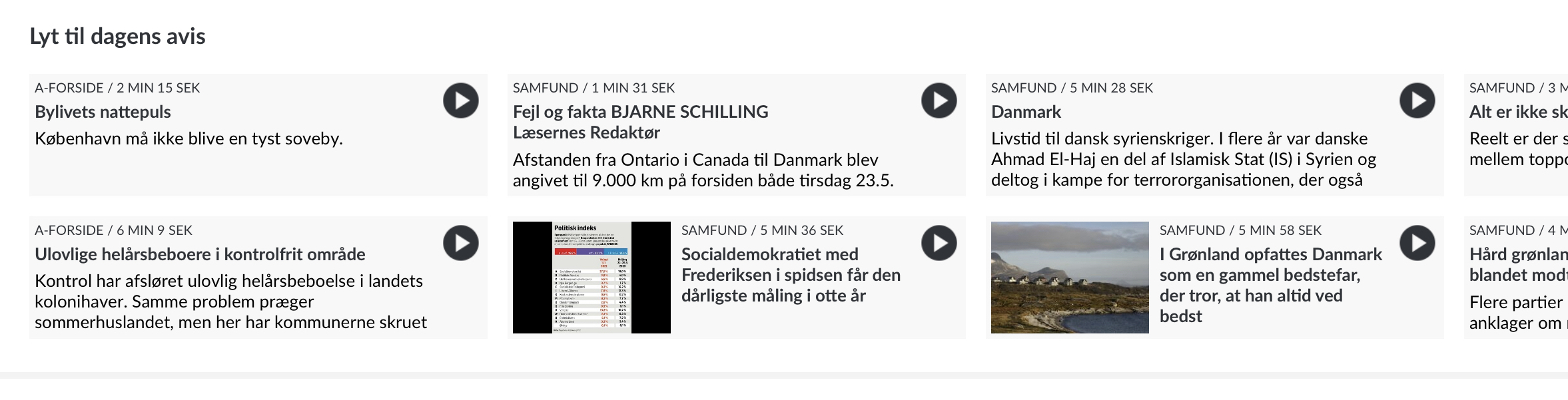
If there are audio files linked to the articles, visitors can have the article read out directly from the home page. The audio can continue to be read while you navigate around the e-magazine.
A live example of what the article component looks like can be found on the Danish newspaper Politiken.
How to create an article component
Go to Prenly Workspace .
Select application.
Select "Start page".
Scroll to the bottom and select "Add component".
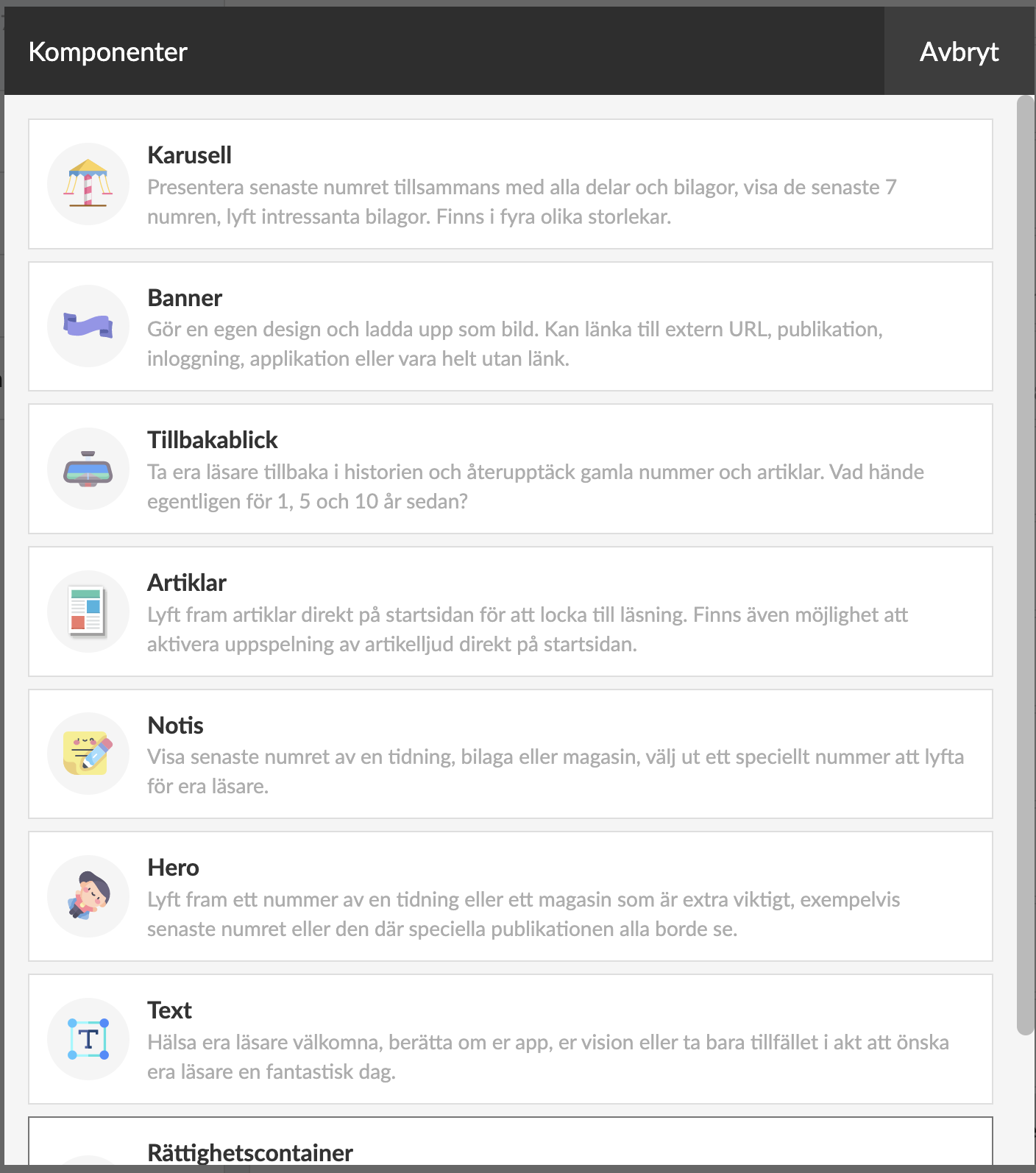
Select "Articles".
Enter a name (only displayed internally in Prenly Workspace).
Select Source. First the title from which you want to display articles.
Then Publication. If you select "Latest publication", the articles from your latest edition will always be displayed. But you can also select a specific issue.
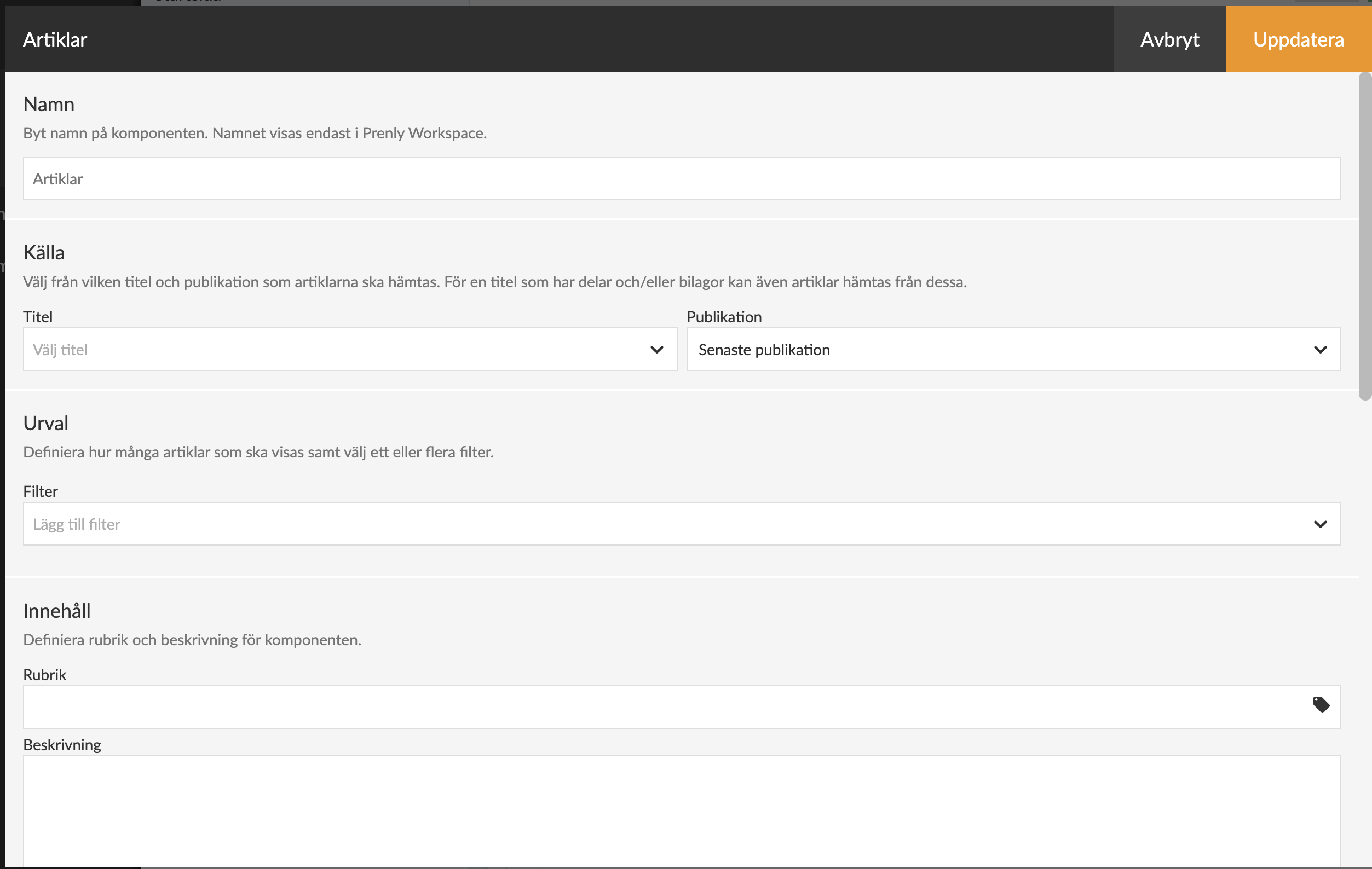
In the filter menu, you can filter which types of articles you want the component to display. You can choose from the following options:
1) Article audio – You can choose to display either articles that have an attached audio file or articles that do not have an audio file.
2) Articles with more words than – You select how many words an article must contain to appear in the article component. All text in the article, including the vignette, will be counted as words. (Note that the word count is automatically applied only to publications imported to Prenly after 2025-02-26. If you need help with older publications, the Prenly support team can assist you).
3) Article images – You can choose to display either articles that contain images or only articles without images.
At Content you can give the component a Title and Description.
Further down in the component setting, you can select labels and choose settings for article audio.
Then comes the Appearance settings, where you can adjust the colours of the different parts of the component.
And at the very bottom you can choose if you want to show the component only in certain platforms and only during certain times.
Once you have finalised your settings and saved, you can drag the component to any position on the homepage. Activate the component and publish the page.
The article component will be displayed on the home page.
At the time of writing (May 24, 2023), the component is displayed in the web browser and the iOS app, but not yet in the Android app.
Article audio in the form of mp3 files has higher quality than the built-in speech synthesiser and in May 2023 it is only available in the Politiken e-journal. An integration with a speech server that can receive texts and create mp3 files is required.
We will work to create a solution that is integrated with Prenly but more on that later.