Application Settings - Prenly
This guide walks you through the Application Settings you can set for each of your titles in Prenly. These settings let you control how a title behaves in your app — for example whether readers can download it as a PDF in the web reader, share articles or spreads, see it in the archive, or access it only with a subscription.
Keep in mind that these options are set per title and per application. That means the same title can have different settings in different apps.
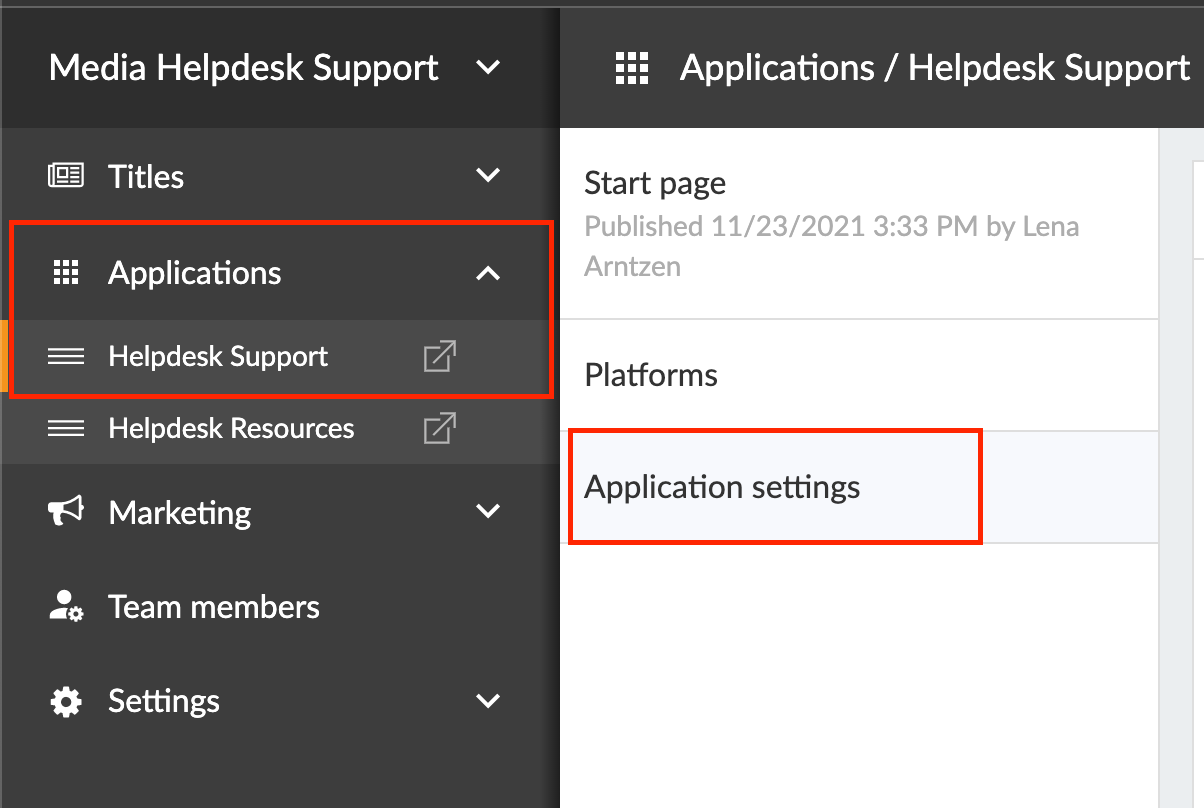
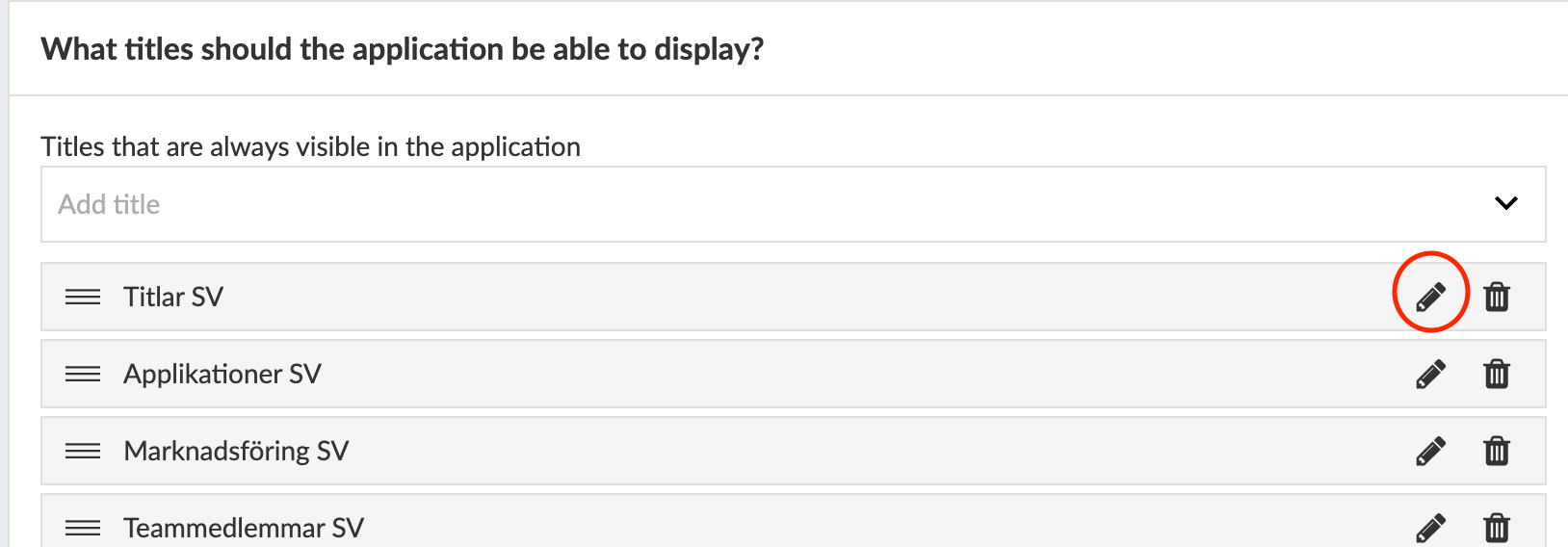
Go to Applications -> Application settings -> Select title to edit by clicking on the "pen" in the right corner.
1. Should the title be in the archive?
This setting controls whether the title appears in the app’s archive: Yes, preselected shows it automatically, Yes, non-preselected keeps it available in the filters but not shown until activated, and No hides it from the archive.
2. Allow automatic download for the title
The Allow automatic download for the title setting decides if readers can automatically download this title for offline use, and whether it’s selected by default. You can set it to Yes, preselected so it’s automatically chosen when users enable Automatic Download, Yes, but not preselected so users must select it themselves, or No to prevent this title from being available for automatic downloading at all.
3. Allow PDF download?
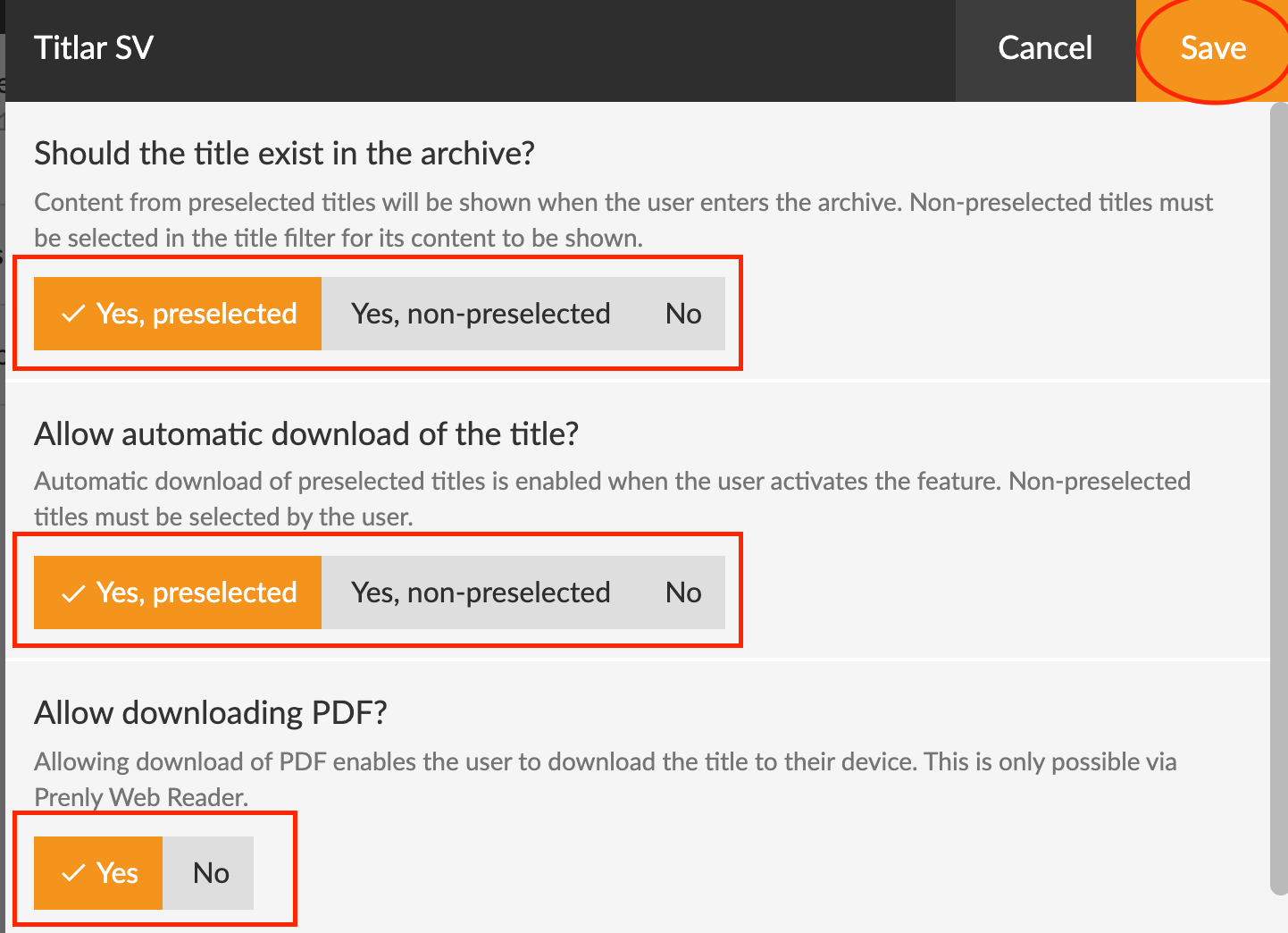
Allowing PDF downloading means that the user can download the title to their device. Valid only via Prenly Web reader.
4. Allow article sharing?
Choose whether you want to allow your users (readers) to share articles unlimited, limited or not at all.
5. Allow sharing of spreads?
Choose whether you want to allow your users (readers) to share posts unlimited, limited or not at all.
6. Should the title require a subscription or be available to everyone?
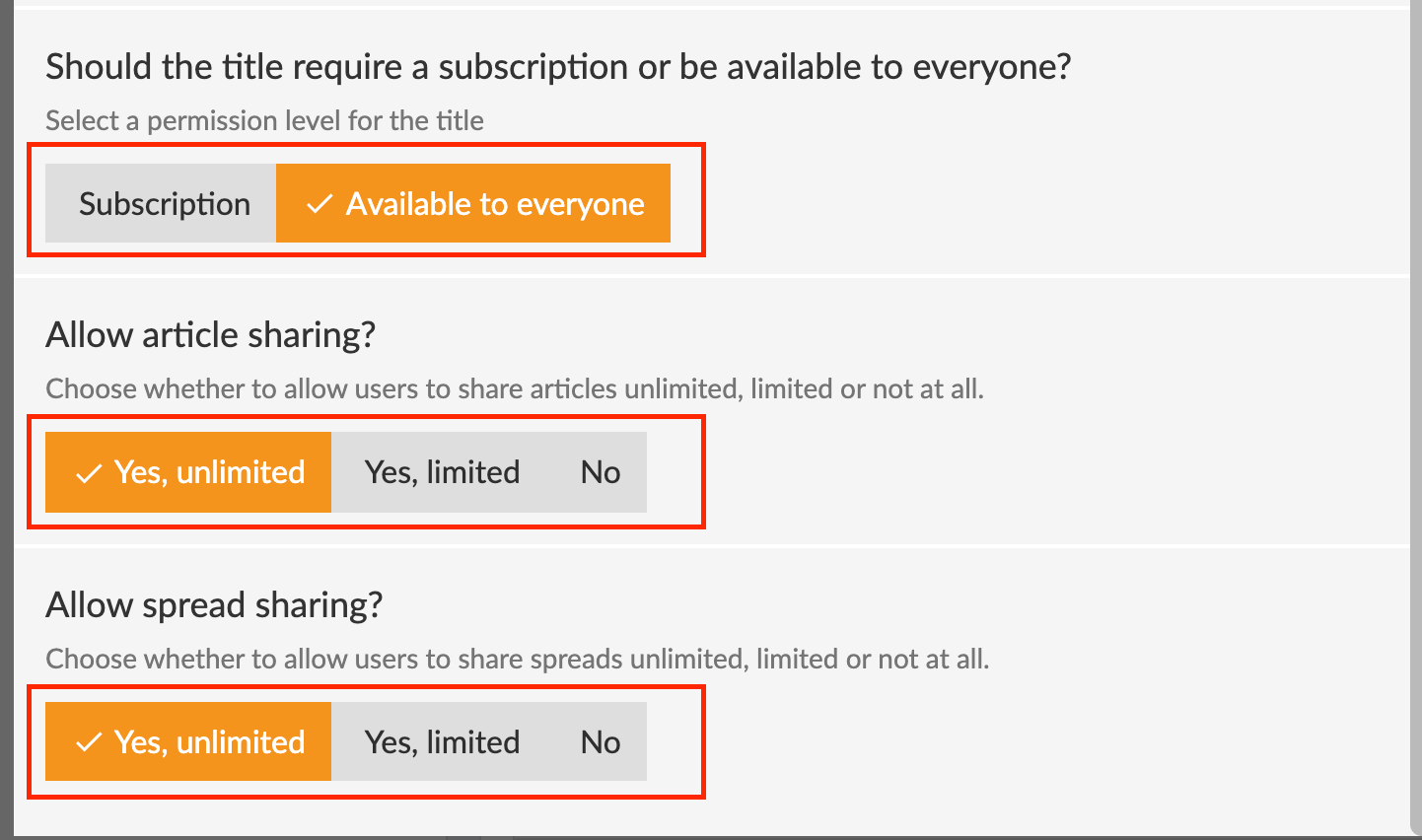
Here you can set whether the e-magazine is subscription locked or open to everyone.
You can also choose to let older issues become publicly available automatically after a set number of days. Select Available after XX days and set the preferred amount of days.
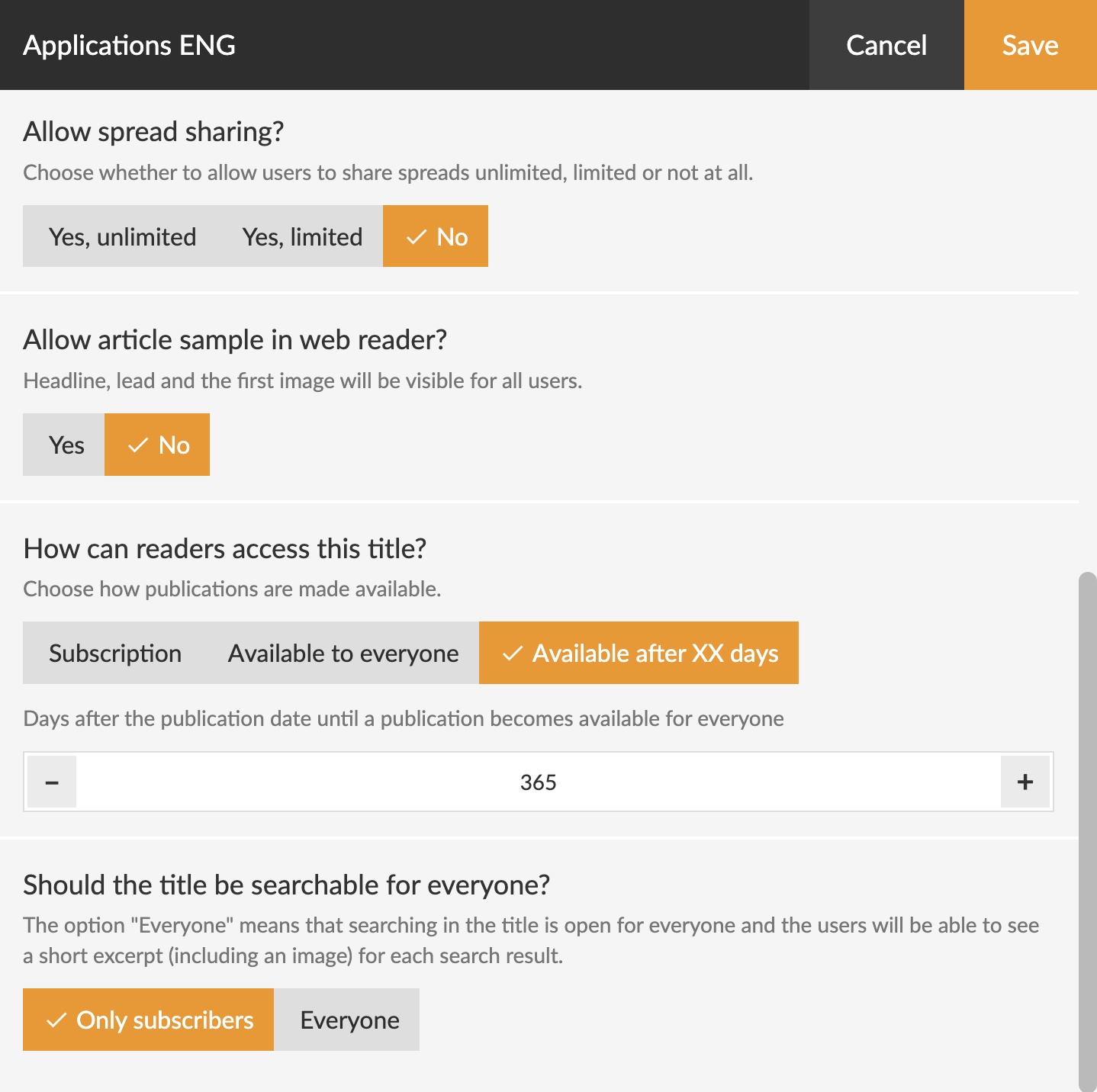
7. Should the title be searchable in the archive?
Enable this option if readers should be able to find search results for this title when entering keywords in the archive.
Don't forget to click the save button so that the changes are saved and take effect on the apps!