Apple | Request Access to AppStore Connect API - Prenly
To provide your customers with the best possible reading experience, we want to continuously improve and update your mobile apps. In order for us to do so, please follow the instructions below.
Step 1. Log in to your Apple developer account as an account holder by visiting https://developer.apple.com/account/
Select "Users and Access " in the "Program Resources" section.
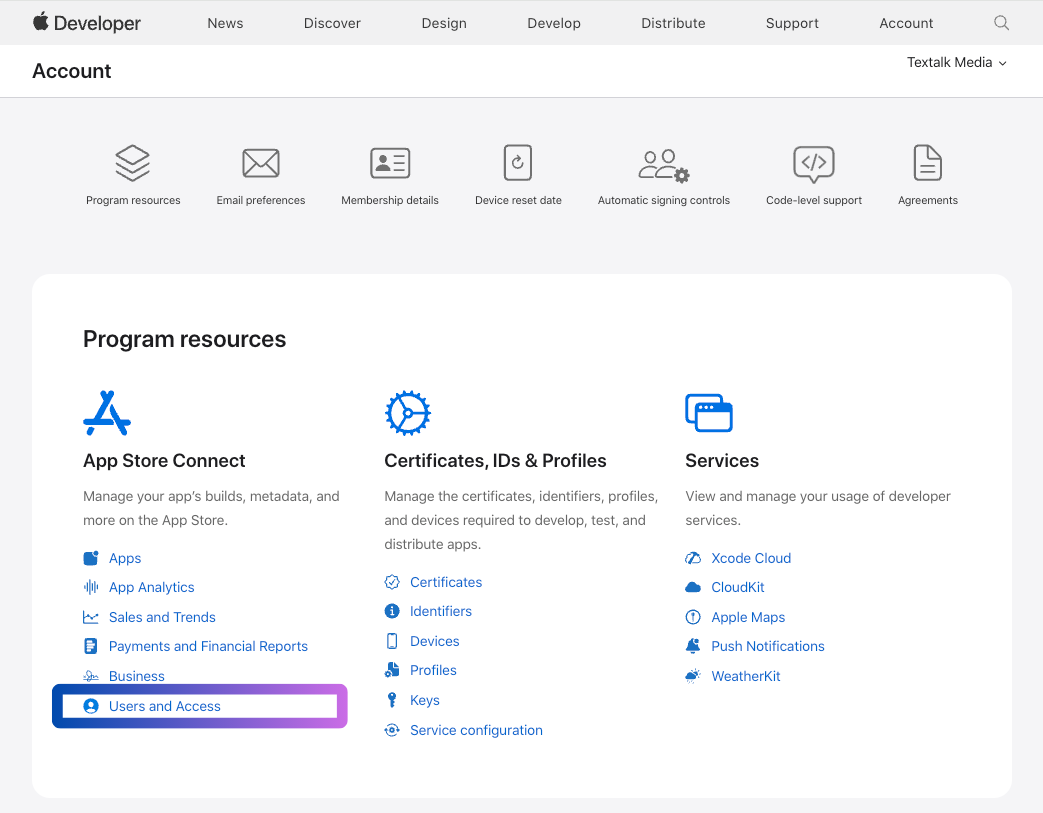 Log in to Developer account and select "Users and Access".
Step 2. Select "Integrations" and then click "Request Access " to activate the App Store Connect API.
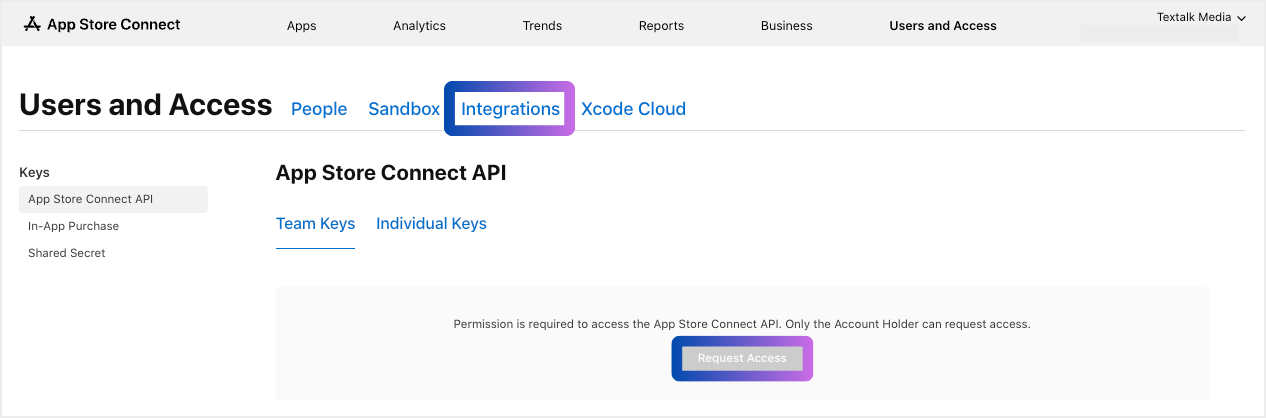 Select "Request Access" to get access to the App Store Connect API."
Step 3. Read through the request, check the confirmation box, and then select "Submit".
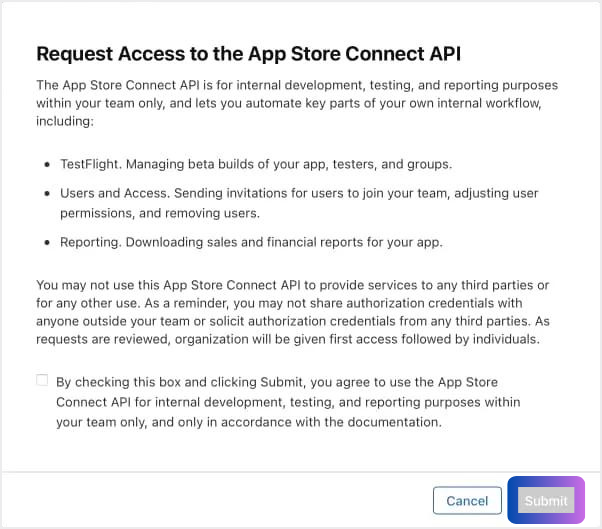 "Submit"
You have now activated the App Store Connect API and we will now take care of the rest.
We thank you very much!